
Terraform Cloud Automation: Your Production Guide
April 27, 2026•CloudCops
Teams don’t decide to adopt terraform cloud automation because they love platform tooling. They do it because local state files, long-lived credentials, and ad hoc terraform apply habits stop being manageable the moment more than one engineer touches production.
We’ve seen the same pattern across startup and enterprise environments. Terraform begins as a sharp developer tool. Then a second team joins, someone applies from a laptop with outdated variables, a hotfix skips review, and nobody can answer a basic audit question like who changed the IAM policy and why. At that point, infrastructure as code is present, but infrastructure operations still aren’t controlled.
That shift matters at industry scale. The Terraform AWS provider surpassed 5 billion downloads, with the first billion taking eight years and the next four billion taking only two more, according to HashiCorp’s write-up on the growth of the Terraform AWS provider. That isn’t just a product milestone. It reflects how fast teams have moved from manual provisioning toward version-controlled automation.
From Manual Runs to Automated Workflows
A familiar situation looks like this. One engineer owns the AWS account. The state file sits in a personal folder or a shared bucket with loose controls. Changes happen directly from feature branches, sometimes from a terminal session that no one else can reproduce. Review exists for application code, but infrastructure still depends on trust and memory.
That setup works right up until it doesn’t. The first real failure usually isn’t exotic. It’s a state lock problem, a surprise replacement, a drifted security group, or a production change applied without the exact code later committed back to Git.
What breaks first
The pain points usually arrive in a predictable order:
- State becomes fragile: Local state or loosely managed remote state creates confusion about what’s current.
- Teamwork gets risky: Two engineers can both believe they own the next apply.
- Approvals stay informal: Pull requests might exist, but they don’t govern the actual execution environment.
- Audits become painful: Security and compliance teams ask for evidence that the Git commit matches the deployed change.
Teams don’t fail because Terraform is hard. They fail because the operating model around Terraform is still manual.
In practice, terraform cloud automation fixes the operating layer, not just the runner. You centralize state, move execution into managed runs, tie changes to version control, and establish a repeatable path from proposal to apply. That’s the point where Terraform becomes a platform capability instead of a personal tool.
Why this is now an operations problem
The moment infrastructure affects delivery speed, access control, or compliance, the conversation isn’t about developer preference anymore. It’s about operating discipline. That’s also why automation engineers are increasingly expected to bridge tooling, process, and governance. The expectation is no longer “know Terraform.” It’s “build reliable systems around automation.”
We treat this as part of the broader platform engineering journey. Strong teams standardize workflows, reduce manual exceptions, and design for repeatability across environments. That’s the same direction we outlined in our guide to automation in cloud computing, where the key distinction is simple: automation only creates advantage when teams can trust it under pressure.
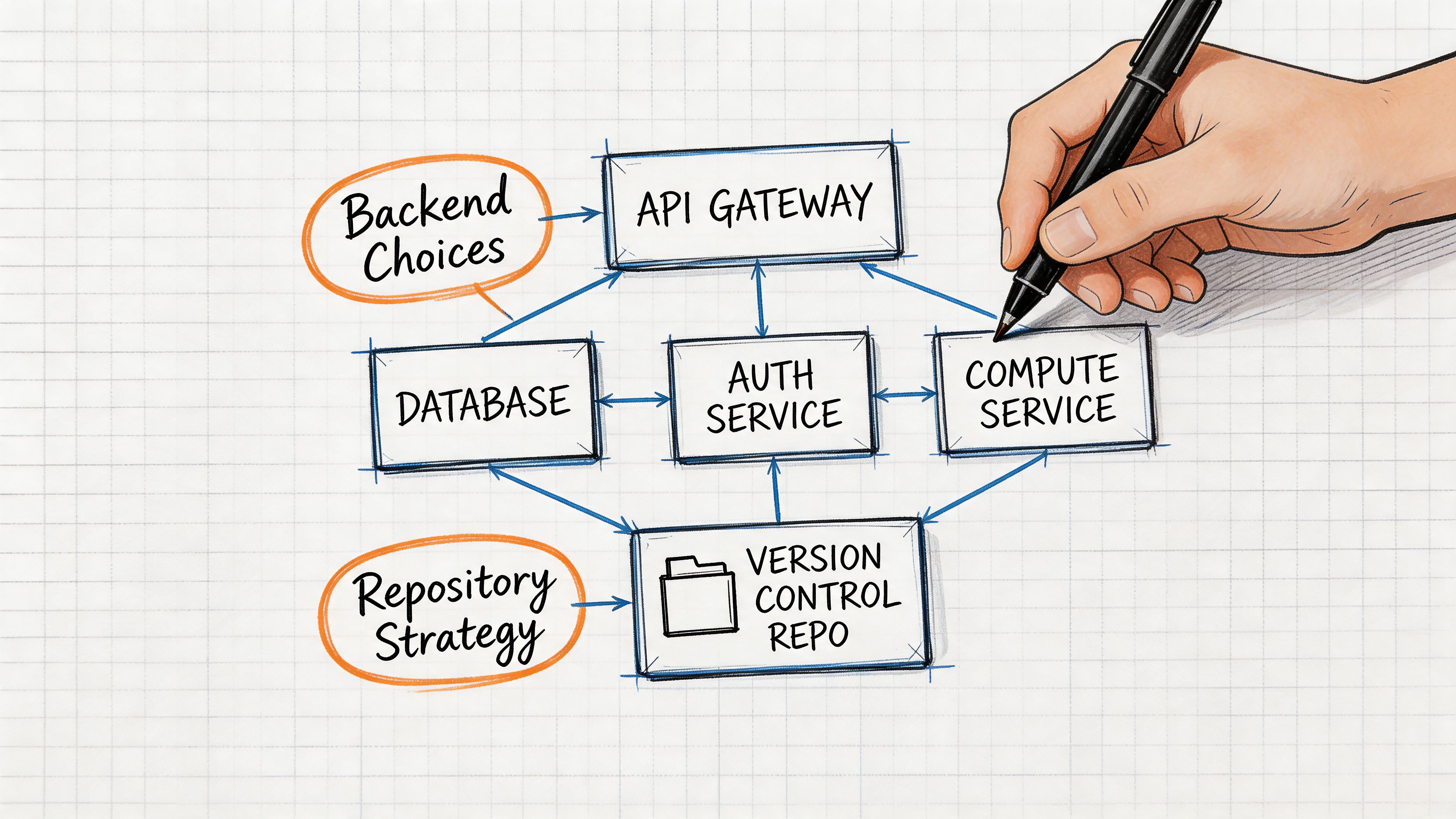
Laying the Foundation Your Backend and Repository Strategy
The biggest mistakes in terraform cloud automation happen before the first workspace exists. Teams rush into writing modules and wiring pipelines, then discover that their backend, repository layout, and promotion model force a rewrite later.
A production-grade setup starts with two decisions. Where state and execution live, and how code is organized for ownership and change isolation.
Choose the backend based on operating burden
Terraform Cloud competes with a do-it-yourself model that many teams know well: object storage for state plus an external locking mechanism and a CI system that runs plan and apply. That works. We’ve built it. It also pushes a lot of control-plane work back onto the platform team.
Terraform Cloud changes that trade-off. It gives you managed remote state, locking, state versioning, queueing, policy enforcement, and auditability in one place. You don’t need to maintain custom wrappers just to make state safer or execution more consistent.
A simple comparison helps:
| Option | Strengths | Trade-offs |
|---|---|---|
| Terraform Cloud | Managed state, built-in locking, VCS integration, policy workflows, auditable runs | Less freedom to customize every execution detail |
| Self-managed backend plus CI | Full control over runners, storage, and pipeline logic | More operational overhead, more glue code, more room for drift in process |
For many organizations, the primary question isn’t feature parity. It’s whether they want to own the automation control plane themselves.
Practical rule: If your team is still building a platform function, avoid spending platform time on backend plumbing unless you have a strong reason to self-host.
Structure repositories around blast radius
Repo design is where opinion matters. There isn’t one universal answer, but there are wrong defaults.
A single monorepo is often the best choice when:
- One platform team owns most infrastructure: Shared review and refactoring are easier.
- Modules and live configuration change together: You can evolve them in lockstep.
- You want consistent policy checks: One repository can simplify standards and branch protections.
A multi-repo model usually fits better when:
- Different teams own different stacks: Ownership is clearer when boundaries are explicit.
- Release cadences vary: Networking, platform, and product teams rarely move at the same speed.
- Access differs by environment or domain: Separation reduces accidental access creep.
What doesn’t work well is a monorepo with no boundaries, or a multi-repo estate with no shared conventions. Either extreme creates operational drag.
Use maturity to guide your choices
A useful framing comes from env0’s overview of the four stages of Terraform automation maturity. The progression goes from basic VCS integration, to IaC-specific CI/CD, then advanced orchestration, and finally self-service infrastructure with embedded governance. We use that model because it keeps teams from overengineering too early while still planning for where they’re headed.
Here’s the practical read:
- Early stage teams should optimize for consistency, not elegance.
- Growing teams should separate shared modules from live environment code before ownership gets messy.
- Mature platform teams should design repositories for delegated operation, not central gatekeeping.
A foundation we trust in production
Our default recommendation is opinionated:
- Keep reusable modules separate from live environment definitions.
- Map workspaces to clear environment boundaries.
- Avoid one workspace controlling unrelated systems.
- Name repositories and directories by ownership and environment, not by engineer preference.
A backend decision is really a people decision. A repo strategy is really an operations decision. If both are solid, the rest of the pipeline becomes much easier to automate safely.
Implementing a Git-Driven Infrastructure Pipeline
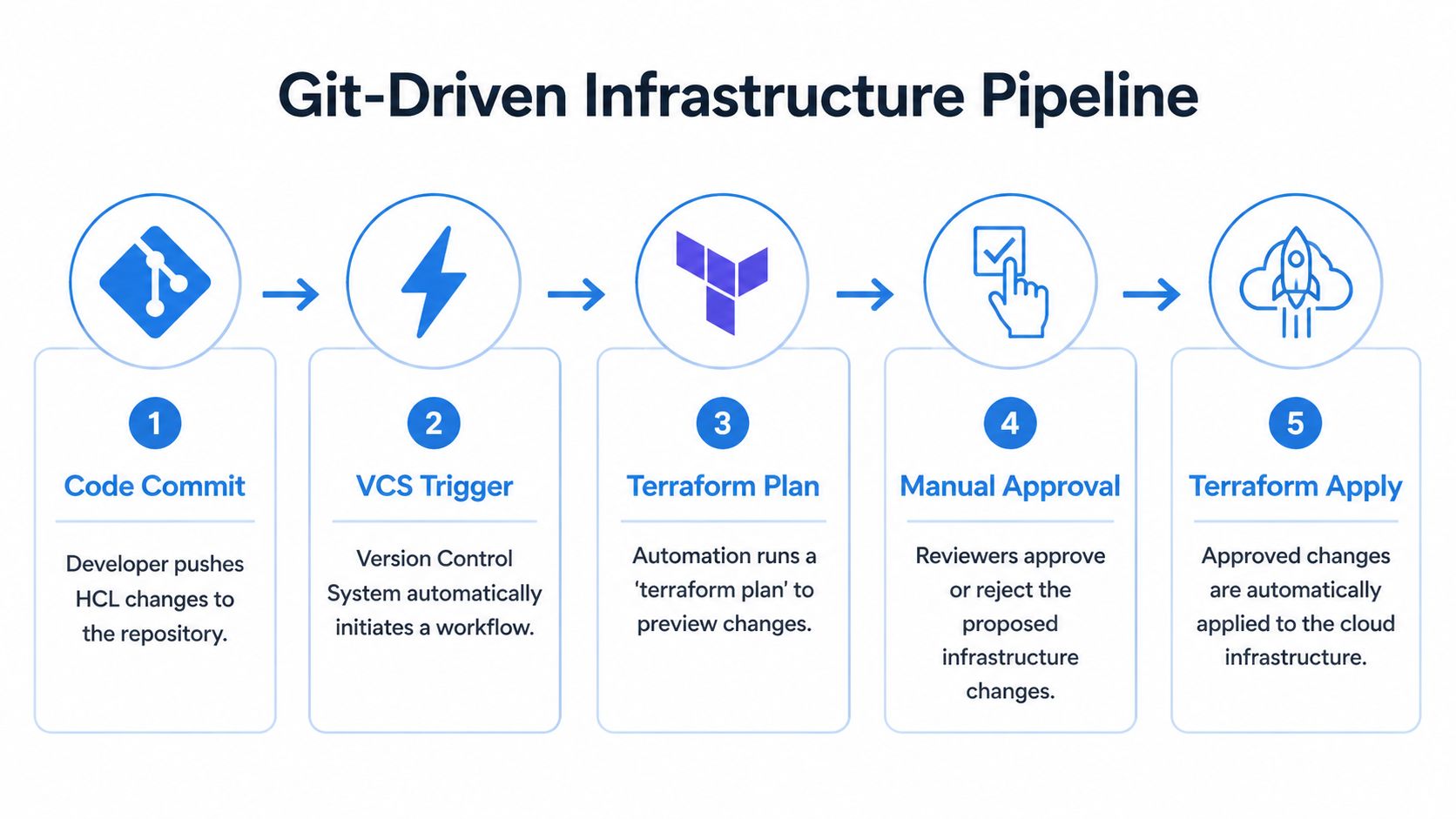
The core pattern we trust is simple. Git is the source of truth, pull requests are the control point, and Terraform Cloud runs the infrastructure workflow in a managed environment. If a change can’t travel through that path, it usually shouldn’t reach production.
Start with the visual model first.
The branch and workspace pattern
Typically, a clean baseline looks like this:
mainbranch: Production intent only.- Feature branches: Proposed infrastructure changes under review.
- One workspace per environment or stack: Clear isolation and auditability.
- VCS-driven runs: No direct local apply into managed environments.
General Git discipline matters more than many infrastructure teams admit. Application engineers have refined branch hygiene for years, and infrastructure teams should borrow that muscle.
Create the workspace with the smallest useful scope
Don’t begin by connecting an entire cloud estate to one workspace. Start with a narrow stack, such as a shared artifact bucket, DNS zone, or a non-critical service foundation. The goal is to prove the operating model before you widen the blast radius.
A minimal AWS example is enough to make the pattern tangible:
terraform {
  required_version = ">= 1.5.0"

  required_providers {
    aws = {
      source  = "hashicorp/aws"
    }
  }
}

provider "aws" {
  region = var.aws_region
}

variable "aws_region" {
  type = string
}

variable "bucket_name" {
  type = string
}

resource "aws_s3_bucket" "logs" {
  bucket = var.bucket_name

  tags = {
    Environment = "dev"
    ManagedBy   = "terraform"
  }
}
Then place the variables in Terraform Cloud workspace variables or variable sets rather than hardcoding environment-specific values in multiple branches.
What the pipeline should do on every pull request
A production-grade flow has two distinct run types. That split is one of the main reasons Terraform Cloud works well in regulated and fast-moving teams.
According to Firefly’s explanation of Terraform Cloud’s speculative plan and plan-and-apply workflow, a pull request triggers a speculative plan that previews changes without modifying state. When the change is merged, Terraform Cloud performs the managed apply, and each run is tied to the commit SHA, author, and workspace for a complete audit trail.
That gives you a practical control model:
| Event | Expected Terraform Cloud behavior | Why it matters |
|---|---|---|
| Pull request opened or updated | Speculative plan only | Reviewers see impact before state changes |
| Pull request merged | Managed plan and apply | Deployment happens from approved code |
| Out-of-band rerun | Tracked in workspace history | Teams preserve traceability |
If engineers review HCL but someone else applies from a laptop, the review process is cosmetic.
Here’s the review logic we prefer:
- Review the resource changes, not just syntax.
- Reject plans with noisy unrelated changes.
- Treat destroy actions as exceptional unless they’re explicitly intended.
- Require policy checks to pass before merge.
How we wire it in practice
The setup usually follows this sequence:
- Connect the repository to a Terraform Cloud workspace.
- Select the working directory if the repo contains more than one stack.
- Store cloud credentials securely through workspace variables, variable sets, or dynamic identity patterns.
- Enable VCS-triggered runs so Terraform Cloud responds to pull request and merge activity.
- Protect
mainwith required reviews and status checks.
This short demo is worth watching if your team wants to see the moving parts in action before implementing them in production.
What works and what usually fails
The workflow is straightforward. The discipline around it isn’t.
What works:
- Small, reviewable pull requests
- Workspace boundaries that match real ownership
- Branch protection that blocks unreviewed merges
- Run outputs that engineers read
What fails:
- Huge infrastructure pull requests: Nobody reviews them well.
- Shared workspaces across unrelated systems: Plans become noisy and risky.
- Manual exceptions becoming normal: The controlled path loses authority.
- Ignoring drift until apply time: Surprises pile up unnoticed.
A healthy terraform cloud automation pipeline feels boring in the right way. Engineers propose changes in Git, reviewers inspect the plan, the merge triggers the apply, and the system records who changed what. That predictability is exactly what production infrastructure needs.
Enforcing Governance and Costs with Policy as Code
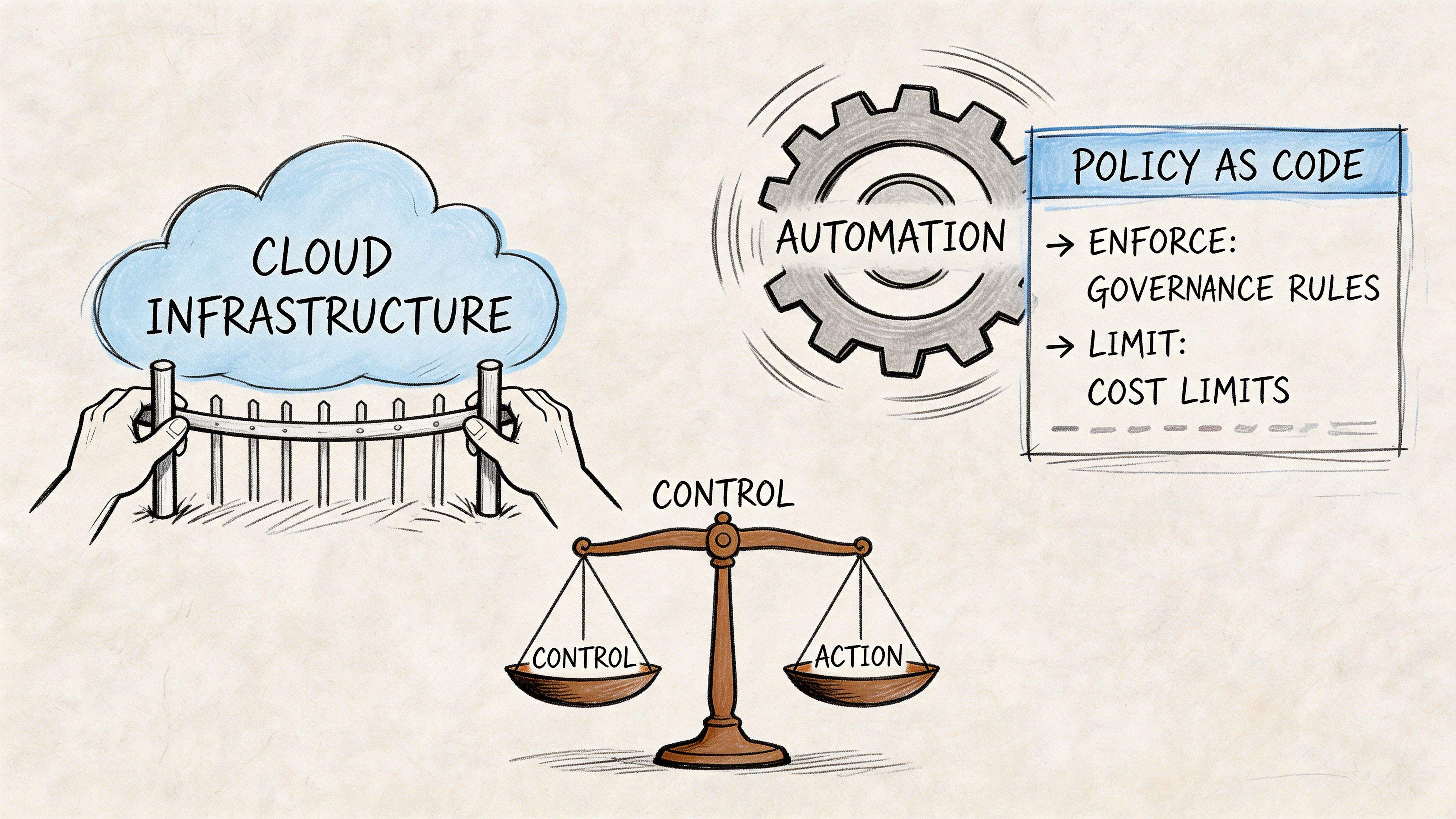
Without policy as code, terraform cloud automation only makes infrastructure faster. It doesn’t make it safer, cheaper, or easier to govern. In many teams, that’s the point where automation creates a new class of problems. Engineers can provision quickly, but nobody has encoded which choices are acceptable.
That’s why we treat policy as code as a control layer, not a compliance add-on.
The business case is stronger than most teams think
HashiCorp states that organizations using Terraform Cloud automation can reduce cloud spending by more than 20%, and that 94% of organizations face avoidable cloud costs, as described in its post on cloud waste and Terraform governance. Those numbers matter because waste rarely comes from one dramatic mistake. It comes from tolerated defaults, missing tags, oversized compute, abandoned resources, and inconsistent review standards.
Policy closes that gap by making the preferred path the enforced path.
Policies worth writing early
The first policies shouldn’t be clever. They should block expensive or dangerous drift from your standards.
A practical starter set includes:
- Mandatory tagging: Enforce cost-center, environment, owner, and data-classification tags.
- Storage controls: Reject public buckets or equivalent insecure exposure patterns.
- Instance restrictions: Limit teams to approved machine families or regions.
- Encryption requirements: Prevent resources without the expected encryption settings.
- Approval gates for sensitive changes: Require stronger review signals for IAM, networking, or production data systems.
For Terraform Cloud users, Sentinel is the native fit. For broader platform patterns, Open Policy Agent works well where you need policy consistency across Terraform, Kubernetes, and admission controls.
Sentinel and OPA serve different platform shapes
Here’s the trade-off:
| Tool | Strong fit | Watch-out |
|---|---|---|
| Sentinel | Teams using Terraform Cloud deeply and wanting policy close to the run lifecycle | More specific to the HashiCorp control plane |
| OPA | Organizations standardizing policy across multiple systems | Requires more integration work around Terraform pipelines |
We often see mature environments use both. Sentinel governs Terraform Cloud execution, while OPA and Gatekeeper extend the same governance mindset into Kubernetes and adjacent controls.
Good policy doesn’t try to replace engineering judgment. It removes the repetitive decisions that shouldn’t be debated on every pull request.
Cost control needs enforcement, not dashboards
A dashboard can show that a team is spending too much. A policy can stop the unapproved pattern before it lands. That’s a major difference.
If you want cost allocation to work, don’t ask engineers nicely to add tags. Require them. If you want to avoid accidental premium resources, encode allowed combinations. If you need evidence for auditors, keep the policy result attached to the run itself.
We’ve seen policy programs fail when teams write dozens of abstract controls that nobody understands. They succeed when every policy answers one of three questions:
- Can this create a security incident?
- Can this create avoidable spend?
- Can this violate a documented compliance rule?
For teams building this capability out, our guide to policy as code in cloud platforms is a useful companion because it connects policy design with operational ownership, not just syntax.
A policy engine won’t make architecture decisions for you. It will make sure the architecture decisions you’ve already made are followed.
Advanced Patterns for Scale and Security
Once the basic pipeline is stable, the next challenge is scale. Many terraform cloud automation setups at this stage either mature into a platform or collapse into a pile of exceptions. The difference usually comes down to three things working together: secrets, environment composition, and reusable building blocks.
Secrets should move out of engineer-managed habits
The first red flag in a growing platform is when credentials are still being passed around manually. Terraform Cloud variable sets help centralize sensitive values and reduce copy-paste sprawl. For some teams, that’s enough. For more complex environments, a dedicated secrets system or cloud-native key management pattern becomes the safer design.
We usually apply this rule of thumb:
- Use workspace variables and variable sets when the need is straightforward and tightly coupled to Terraform execution.
- Use a dedicated secret manager or identity platform when credentials rotate frequently, multiple systems consume them, or access boundaries differ sharply by team.
- Prefer short-lived identity patterns over static credentials whenever the surrounding platform supports it.
The biggest mistake here is mixing convenience with permanence. What starts as a temporary secret in one workspace often becomes the production standard if nobody redesigns it.
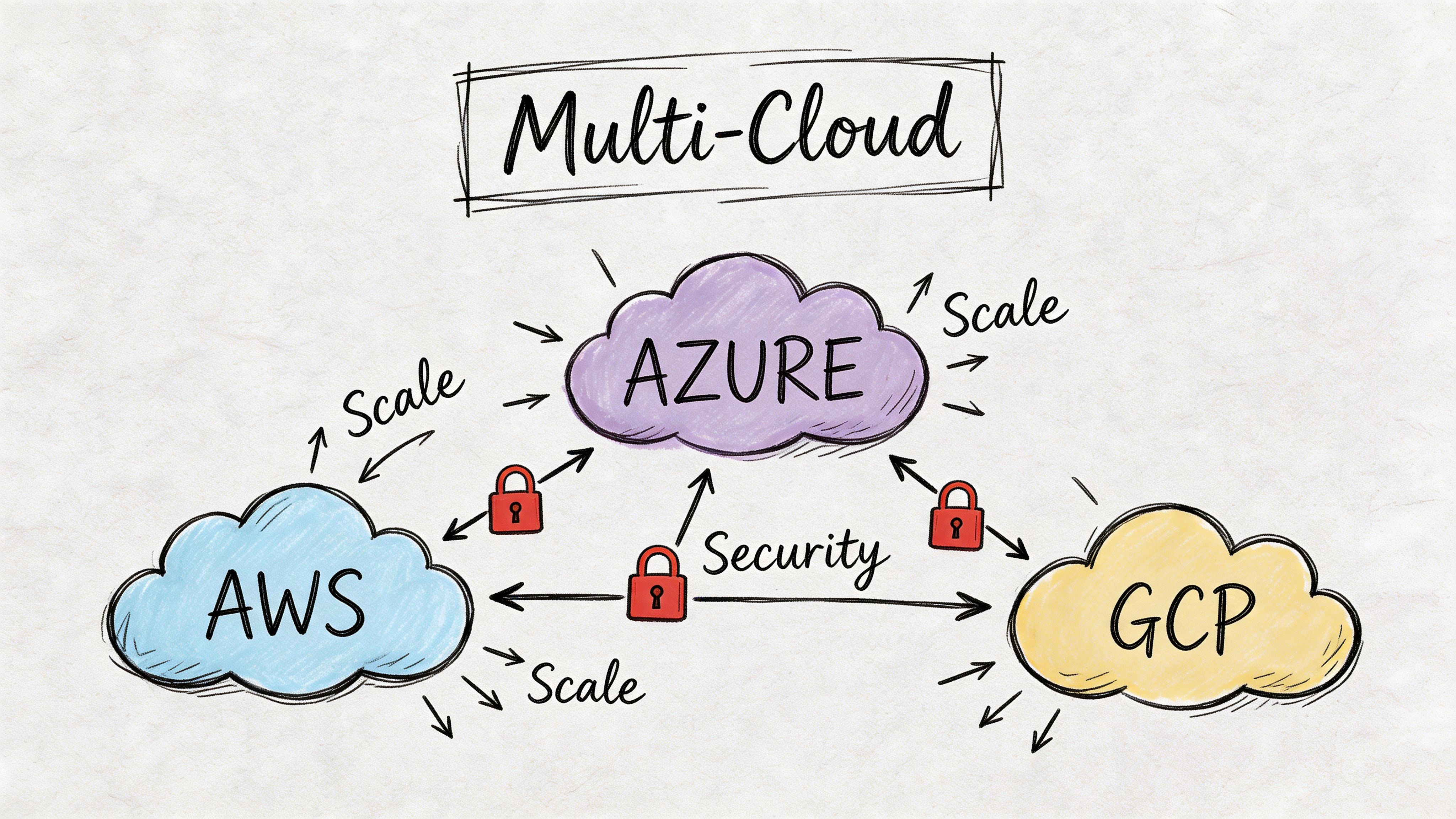
Multi-account and multi-cloud need composition, not duplication
As estates expand across AWS accounts or into Azure and GCP, raw Terraform can become repetitive. The problem isn’t Terraform itself. It’s unmanaged duplication in backend config, provider aliases, environment variables, and shared conventions.
That’s where orchestration and layering matter. We often pair Terraform with Terragrunt when teams need stronger DRY controls across many environments. Used carefully, it helps define common settings once and apply them consistently without cloning the same structure into dozens of directories.
A practical model looks like this:
- Platform modules define reusable capabilities such as VPCs, clusters, IAM baselines, or logging stacks.
- Environment layers supply account, region, and environment-specific inputs.
- Workspaces stay aligned to distinct deployment units rather than becoming catch-all buckets.
- Promotion paths move code through review and environment stages, not through ad hoc copy operations.
This is also where one factual mention fits naturally: CloudCops GmbH works across AWS, Azure, and Google Cloud using Terraform, Terragrunt, and OpenTofu in exactly these kinds of platform setups, especially where portability and governance matter.
Build a private module ecosystem early
A private module registry changes team behavior. Without one, every product team starts inventing its own storage bucket pattern, IAM convention, or network baseline. With one, platform teams can offer versioned building blocks that encode the right defaults.
The module strategy should be boring and strict:
- Keep modules narrowly scoped: A network module should build network primitives, not half the platform.
- Version modules explicitly: Consumers need predictable upgrade paths.
- Document required inputs and outputs clearly: Teams shouldn’t read source code to use a standard module.
- Test modules independently: Shared components need more discipline than one-off stacks.
Shared modules are only useful when teams trust that upgrading them won’t cause surprising infrastructure changes.
Security and scale reinforce each other
A lot of teams think security slows down self-service. In well-designed platforms, the opposite is true. Standard modules, approved identity patterns, and built-in policy checks reduce the need for manual review because the safe path is prepackaged.
That’s the key insight at scale. Security isn’t an extra layer added after automation. It’s part of the product design of the internal platform itself. When module boundaries, secrets handling, and multi-cloud composition align, platform teams stop acting as ticket processors and start acting as system designers.
Day 2 Operations Drift Detection and Observability
Provisioning is the easy day. The harder work starts after the apply succeeds and real humans, cloud consoles, and emergency changes begin to reshape the environment. That’s why day 2 operations decide whether terraform cloud automation remains trustworthy.
A common failure mode is false confidence. Teams assume that because infrastructure began in code, it still matches code weeks later. In practice, consoles, scripts, and parallel tools create small differences that accumulate subtly.
Drift is more expensive than it first appears
HashiCorp highlights a critical gap in its discussion of minimizing cloud waste in a cloud operating model: Terraform can estimate costs before deployment, but it can’t track resources created manually outside Terraform state. The same source notes that 94% of organizations admit to avoidable cloud spend. That matters because unmanaged resources, side-channel changes, and remediation labor all sit outside a clean plan output until they become someone’s incident.
Drift detection helps, but teams need to understand its boundary. It only works for Terraform-managed resources. If engineers create infrastructure manually outside that managed scope, Terraform Cloud can’t fully govern what it doesn’t know exists.
Treat drift alerts as an operational signal
A drift alert shouldn’t trigger panic. It should trigger a playbook.
We recommend a simple response model:
- Identify whether the change was intentional.
- Decide whether code should be updated or infrastructure should be reconciled back to code.
- Trace the actor and path that introduced the change.
- Close the loop by removing the process gap that allowed it.
That last step is where teams mature. If drift keeps recurring from console access, the solution usually isn’t better alerting. It’s stronger access patterns, better break-glass rules, or clearer operational boundaries.
Drift detection is most useful when it changes behavior, not just when it generates notifications.
Observe the pipeline like a production system
Infrastructure delivery needs observability too. Teams often monitor clusters, APIs, and databases, but ignore the health of the pipeline that creates them.
At minimum, capture and review:
- Run logs: Plans, applies, and policy failures need searchable history.
- Failure patterns: Which workspaces fail repeatedly and why.
- Apply duration trends: Long-running applies often indicate poor workspace boundaries or brittle dependencies.
- Approval friction: Repeated waiting points can reveal process design problems, not just team availability.
A lightweight dashboard for IaC operations should answer three questions quickly:
- Are runs succeeding consistently?
- Where are changes getting stuck?
- Which stacks are generating the most unstable change patterns?
This is the same thinking we apply to reliability work more broadly in our article on site reliability engineering best practices. The platform itself needs feedback loops, not just the applications it hosts.
Shift quality checks left
By the time a speculative plan runs, some issues are already too late in the process. We prefer to catch obvious defects earlier with formatting, validation, linting, and infrastructure tests in CI before Terraform Cloud ever evaluates a production-impacting run.
A practical sequence is:
- Lint HCL early
- Run static policy checks before review
- Use infrastructure tests for critical modules
- Reserve human review for intent, impact, and exceptions
That split matters. Engineers are bad at spotting repetitive mechanical mistakes by eye. Automation is good at that. Humans should spend review time understanding whether the proposed infrastructure change makes sense in the context of the system.
Day 2 excellence is what turns IaC from deployment tooling into a durable operating model. If you can detect drift, observe run health, and enforce remediation habits, your automation stays credible long after the first successful rollout.
Building a Mature and Auditable Cloud Practice
A mature terraform cloud automation setup doesn’t emerge from one clean pipeline demo. It comes from a sequence of operational choices that reinforce each other. Centralized execution removes laptop risk. Git-driven workflows make intent reviewable. Policy as code turns standards into enforced controls. Scaled module and secrets patterns keep growth from turning into inconsistency. Drift detection and observability keep the whole model honest after deployment.
The result is bigger than infrastructure convenience. Teams improve delivery discipline because changes move through a defined path. Audit requests get easier because evidence already exists in the run history. Platform engineers spend less time untangling one-off exceptions and more time improving the system.
That’s the ultimate payoff. Terraform Cloud isn’t just a place to run plans. Used properly, it becomes part of a cloud operating model that supports faster delivery, lower change risk, and cleaner governance without forcing every team to reinvent the same controls.
If your team is moving from ad hoc Terraform toward a governed platform model, CloudCops GmbH helps design and implement cloud-native, version-controlled infrastructure workflows across AWS, Azure, and Google Cloud, with hands-on support for Terraform, Terragrunt, OpenTofu, GitOps, observability, and policy-driven delivery.
Ready to scale your cloud infrastructure?
Let's discuss how CloudCops can help you build secure, scalable, and modern DevOps workflows. Schedule a free discovery call today.
Continue Reading
Terraform Policy as Code: The Cloud Native Security Guide
Master terraform policy as code. Learn how to enforce governance with Sentinel, OPA, and Terraform Cloud across your infrastructure lifecycle.
Terraform Best Practices for Multi-Cloud Teams in 2026
Practical terraform best practices for AWS, Azure, and GCP teams covering state, modules, CI/CD, policy-as-code, drift, and cost controls.
Terraform vs OpenTofu: How to Choose in 2026
Terraform vs OpenTofu in 2026: a practitioner-led comparison of compatibility, state, licensing, governance, migration friction, and CI/CD fit for real teams.