
What is GitOps: A Comprehensive Guide for 2026
April 2, 2026•CloudCops

At its heart, GitOps is an operational model that uses a Git repository as the single source of truth for your entire system. It’s about applying the same DevOps practices developers use for code—version control, collaboration, pull requests, and CI/CD—to your infrastructure and applications.
Think of it as having a complete, version-controlled blueprint for everything you run in production.
So What Is GitOps, Really?

Let’s try a simple analogy. Imagine your team is building a massive Lego model of your production environment. The old way involved people adding or removing bricks based on verbal instructions or a flurry of Slack messages—a recipe for chaos. Someone inevitably grabs the wrong piece or misses a step.
Now, imagine you have a single, master instruction book. Any change, no matter how small, has to be proposed as an update to that book first. Once everyone reviews and approves the change, it's officially added to the manual.
In this world, Git is your master instruction book. Your infrastructure—servers, databases, networks—and your applications are the Lego model. GitOps is the entire process of using that book as the only guide for building and maintaining the model.
To put it in more concrete terms, here's a quick reference for the core concepts.
GitOps at a Glance
| Concept | Description |
|---|---|
| Single Source of Truth | A Git repository contains the declarative description of the desired infrastructure and application state. This is the only truth. |
| Declarative | Configuration files in Git declare the desired state of the system, not the step-by-step commands to get there. |
| Pull-Based | An automated agent (like Argo CD or Flux) runs in the environment and pulls the declared state from Git. |
| Continuous Sync | The agent constantly compares the live state against the desired state in Git, automatically correcting any drift. |
This table captures the mechanics, but the real power of GitOps comes from the philosophical shift it represents.
The Shift from Imperative to Declarative
Before GitOps gained traction, operations teams mostly relied on imperative commands. You’d write scripts telling the system how to get to a certain state, step-by-step: "First, create this server. Second, install this software. Third, configure this network rule." This approach is fragile, a nightmare to track, and almost impossible to reproduce consistently.
GitOps champions a declarative model instead. You stop telling the system how and start telling it what. You declare the desired end state in a config file, like "I want three web servers, two databases, and this version of my app running," and commit that file to Git.
It's the system's job, not yours, to figure out how to make the live environment match the state described in Git. This fundamental shift from "how" to "what" is the heart of the GitOps methodology.
This declarative model is what makes GitOps so effective. It turns what used to be complex, high-risk operational tasks into a simple, auditable, and version-controlled process anyone can follow.
The Origin of the Term
GitOps isn't just a collection of good ideas that appeared out of nowhere; it’s a formal operational model with a clear starting point. The term "GitOps" was officially coined in 2017 by Alexis Richardson, the CEO of Weaveworks, which crystallized years of practices from the DevOps and cloud-native world into a unified concept.
That moment gave a name to a powerful idea: bringing the same rigor and transparency that developers have for application code to the world of infrastructure operations. It ensures every change is intentional, reviewed, and fully automated.
The Four Core Principles That Power GitOps
To really get what GitOps is, you have to understand the four pillars that hold it up. These aren't just suggestions; they are the contract. This methodology, shaped by pioneers like Weaveworks, turns infrastructure management from a mess of manual scripts into a clean, automated, and declarative system.
Think of these principles as the non-negotiable rules of the road. Follow them, and you get systems that are reproducible, transparent, and manageable, no matter how complicated they get. Let's break down what they actually mean in practice.
1. The Entire System Is Described Declaratively
First and foremost, your entire system has to be described declaratively. This is the biggest mental shift. You stop writing scripts that list how to build something and start writing manifests that declare what the end state should look like.
Instead of a script saying, "create a server, install this package, then start that service," you write a YAML or HCL file that says, "I need three web servers running version 2.1 of my app, each with 4GB of RAM." The system figures out the how.
This is a huge step up from classic Infrastructure as Code (IaC), which itself only became mainstream with the rise of cloud computing in the mid-2000s. This declarative blueprint is the unambiguous, human-readable source of truth for what "correct" looks like.
2. The Desired State Is Versioned in Git
Second, all those declarative files live in a Git repository. This makes Git the single source of truth for your system's desired state. No more "official" configurations living on a senior dev's laptop, in a random S3 bucket, or a forgotten Wiki page. If it's not in Git, it doesn't exist.
Using Git gives you some incredibly powerful operational tools right out of the box:
- A Perfect Audit Trail: Every change to your infrastructure is a
git commit. You know who changed what, when they did it, and (if they write good commit messages) why. - Painless Rollbacks: If a deployment goes sideways, a rollback is as simple as
git revert. This command tells the system to return to the last known-good state. No frantic late-night debugging required. - Built-in Peer Review: Changes are proposed via pull requests. This forces a review process. Your team can catch mistakes, ask questions, and run automated checks before a change ever hits production, which kills a whole class of "oops" errors.
With Git as the source of truth, there's no more guessing about the state of your system. The
mainbranch is what's live, and its history is the indisputable log of everything that has ever happened.
This brings the same discipline that software developers have used for decades to manage code directly into the world of operations.
3. Changes Are Applied Automatically
Once a change is approved and merged into the main branch, the third principle takes over: the new state must be applied automatically. Manual changes are forbidden. No kubectl apply -f my-change.yaml from your local machine. Ever.
This job is handled by a specialized agent—an operator or controller like ArgoCD or Flux—that runs inside your environment. Its entire purpose is to watch the Git repository for new commits.
When the agent sees a new commit on the target branch, it pulls the latest declarative files and gets to work, making the live environment match the new desired state. This completely removes the risk of human error during deployments and guarantees that changes are applied the same way, every single time.
4. The System Is Continuously Reconciled
Finally, the GitOps agent doesn't just apply a change and go to sleep. It works constantly to ensure the system is correct through a process called reconciliation. It is always comparing the actual state of the live environment with the desired state in Git.
If it ever detects a difference—what we call drift—it automatically takes action to fix it. This creates a powerful self-healing loop.
- A developer accidentally uses
kubectl scaleto add more pods for debugging? The agent sees the drift and scales it back down to match what's in Git. - A container crashes? The agent (working with the Kubernetes scheduler) sees the replica count is wrong and spins up a new one.
- Someone makes a manual, out-of-band change to a production ConfigMap? The agent detects the modification and immediately reverts it to the version defined in the repository.
This constant vigilance makes your systems incredibly resilient. The agent acts like a tireless guardian, enforcing the source of truth and preventing the slow, silent configuration drift that leads to instability and security holes.
What a GitOps Workflow Looks Like in Practice
The principles are one thing. The day-to-day reality is another. Let’s walk through what actually happens when a developer ships a feature using GitOps. Forget the theory for a minute—this is the real, on-the-ground flow from a developer's keyboard to a live production cluster.
It’s an opinionated, highly-automated path. Every change, no matter how small, follows the exact same journey.

The diagram above isn’t just a nice graphic; it's a contract. It dictates that every change must start as a declaration, get versioned in Git, and be reconciled by an automated agent. This is how you eliminate manual errors and build a system that’s auditable by default.
Step 1: The Developer Opens Two Pull Requests
The workflow starts in Git, always. A developer wraps up a new feature and opens a pull request (PR) against the application's source code repository. This is standard practice.
But then they do something else: they open a second PR. This one is against a completely separate environment repository—the one holding your Kubernetes manifests. This PR doesn't touch application logic; it only changes a single line in a YAML file, bumping the application’s image tag to a new version.
This is the core GitOps declaration: "The desired state for production is now this new container image." Separating the app code PR from the configuration PR is critical. It creates two distinct review processes with different stakeholders, preventing application logic reviews from getting mixed up with infrastructure changes.
Step 2: The CI Pipeline Does the Dirty Work
The moment the application PR opens, automation takes over. A Continuous Integration (CI) pipeline fires up and begins a series of non-negotiable quality checks.
- Build: The code is compiled and packed into a new container image.
- Test: A battery of automated tests—unit, integration, you name it—runs against the code. A failure here is a hard stop.
- Scan: The new image and its code dependencies are scanned for known vulnerabilities. No passing a scan, no deployment.
If any of these gates fail, the pipeline dies and leaves a failure notice right on the PR. The developer gets instant feedback, and broken code never gets a chance to be merged. It’s a ruthless but effective quality filter.
Step 3: The Merge Becomes the Trigger
Once CI passes and the team signs off, both PRs are merged. The application code merges into its main branch. More importantly, the configuration change—that tiny YAML edit—is merged into the main branch of the environment repository.
This merge is the official, auditable act of promoting a change. It's the point of no return, where a developer’s change is formally blessed and becomes the new source of truth. Git is now the record of what should be running in production.
Step 4: The GitOps Agent Enforces Reality
This is where the GitOps controller earns its keep. An agent like Argo CD or Flux is running inside your Kubernetes cluster, and its one and only job is to watch that environment repository.
Within moments of the merge, the agent detects the new commit. It pulls the updated manifest and compares this new desired state with the actual, live state of the cluster. It immediately sees a mismatch: Git says run version v1.2, but the cluster is still running v1.1.
The agent then gets to work. It orchestrates the entire deployment, pulling the correct image and updating the necessary Kubernetes resources until the live state perfectly matches the desired state in Git. The change is live.
The agent is more than a deployment tool; it's a guard. If an engineer tries to
kubectl edita deployment manually, the agent will detect that "drift" from the Git source of truth and automatically revert the change. The system is self-healing, constantly enforcing the declared state.
GitOps workflows are a natural fit for cloud-native environments, especially for teams moving away from legacy infrastructure. If you're navigating that shift, using expert Kubernetes migration services can help you bake this operational model in from day one. For teams already using ArgoCD, our guide on ArgoCD GitOps Essentials offers a practical starting point.
The Real-World Benefits of Adopting GitOps
Understanding the principles behind GitOps is one thing. The real question is why your team should invest the time and effort to adopt it. The answer isn’t just about new tools; it’s about concrete, measurable improvements to your entire delivery process—the kinds of things that separate high-performing engineering teams from everyone else.
These are often tracked with DORA metrics, and GitOps directly improves every single one. It’s about building a faster, more reliable, and less stressful way to ship software.
Faster, More Frequent Deployments
In many organizations, deployments are brittle, manual, and high-stakes events. Every release feels like a potential crisis, so teams naturally become hesitant to deploy. This slows down the entire feedback loop and delays getting value to your users.
GitOps completely changes this dynamic. Because every change—from a new feature to a config tweak—follows the same automated path through Git, deployments become routine. They become boring. A simple git merge is all it takes to kick off a fully automated rollout, which dramatically increases your Deployment Frequency.
A pull request becomes the universal remote control for your infrastructure. Instead of juggling complex deployment scripts and manual checklists, shipping code becomes as simple and auditable as merging a branch.
This speed directly slashes your Lead Time for Changes—the time it takes for a code commit to actually be running in production. When deployments are automated and safe, developers can ship small, incremental changes quickly, get feedback faster, and move on to the next problem.
Ridiculous Reliability and Stability
Faster is only better if you’re not breaking things more often. This is where GitOps really shines, with a couple of powerful mechanisms that boost system reliability.
First, it forces every proposed change to go through a pull request. This means peer reviews and automated checks happen before anything touches production, catching potential errors early. This isn't just a suggestion; it's a structural guarantee that directly lowers your Change Failure Rate. Bad configurations simply don't make it to the main branch.
Second, when an incident inevitably happens, GitOps gives you an almost instant path to recovery. Forget about late-night war rooms or frantically trying to debug a live system. The fix is a single command: git revert.
Reverting the problematic commit in Git triggers the GitOps agent, which immediately sees the state mismatch and rolls the live environment back to its last known-good configuration. This simple, bulletproof rollback mechanism supercharges your Mean Time to Recovery (MTTR), turning a potential hours-long outage into a minor, minutes-long hiccup.
The principles behind this operational model have deep roots. The broader DevOps movement, formally coined in 2009 by Patrick Debois, established the cultural groundwork for treating operations with the same rigor as development. You can see how these ideas have evolved into modern GitOps practices to connect the dots.
The impact of this shift is best seen by comparing the old way of doing things with the new GitOps model.
Manual Ops vs GitOps Impact on DORA Metrics
Here’s a practical breakdown of how a GitOps workflow directly moves the needle on the four key DORA metrics compared to traditional, manual operational models.
| DORA Metric | Manual Operations (The 'Old Way') | GitOps (The 'New Way') |
|---|---|---|
| Deployment Frequency | Low. Deployments are manual, risky events scheduled infrequently (weeks/months). | High. Automated, low-risk deployments happen multiple times per day. |
| Lead Time for Changes | High. Weeks or months from commit to production due to manual handoffs and testing cycles. | Low. Hours or minutes from commit to production via an automated pipeline. |
| Change Failure Rate | High. Lack of peer review and automated validation for operational changes leads to frequent errors. | Low. PRs, automated checks, and reviews catch issues before they reach production. |
| Mean Time to Recovery | High. Recovery involves manual debugging, frantic rollbacks, and late-night war rooms. | Low. A git revert command provides instant, reliable rollback to a known-good state in minutes. |
As the table shows, GitOps isn't just an incremental improvement. It fundamentally redesigns the operational workflow to prioritize the metrics that define elite engineering performance.
A Better Developer Experience
Finally, one of the most underrated benefits is how GitOps impacts developer happiness and productivity. In too many companies, deployments are handled by a separate operations team through a clunky, opaque process. This creates bottlenecks, frustration, and a sense of helplessness for developers who just want to ship their code.
GitOps empowers developers with a clear, self-service path to production. They don’t need deep kubectl expertise or access to a dozen different CI/CD tools. They just need to know Git—a tool they already live in every single day.
By abstracting away the complexity of the deployment process, GitOps frees up developers to focus on what they do best: writing code and building features. This is a critical part of building a continuous deployment software strategy that your engineering team will actually love to use.
Integrating Security and Compliance into Your GitOps Pipeline

There’s a common myth that GitOps trades security for speed. It’s the exact opposite. By making Git the single source of truth, GitOps creates a framework where security isn't just a final-gate checklist—it’s built in and automated from the very first line of code.
This completely flips the script on audits. Instead of a frantic, manual scramble to piece together evidence, you have an immutable, timestamped log of your system’s entire operational history. Every single change is accounted for.
An Unbreakable Audit Trail by Default
In a traditional setup, proving compliance for an audit like SOC 2 or ISO 27001 is a nightmare. You’re digging through disparate logs from a dozen systems, trying to answer who changed what, when, and why. The picture is almost always incomplete.
GitOps fixes this, and it’s almost elegant in its simplicity. Every change to your production environment, whether it's a new feature or a small configuration tweak, must go through a pull request.
This means you automatically get a perfect, comprehensive log that answers every auditor's fundamental questions:
- Who proposed the change? The author of the pull request.
- What was the exact change? A
git diffshows you precisely what was added, modified, or removed. - Who approved it? The reviewers are recorded right there in the PR.
- When was it applied? The
git mergecommit has a timestamp.
With GitOps, you don't create an audit trail; the audit trail is a natural byproduct of your workflow. Compliance becomes inherent to your process, not a separate task you perform twice a year.
This transparency gives security and compliance teams full visibility into the state of your system and how it evolves, all without slowing developers down.
Enforcing Security with Policy as Code
Audit trails are great for looking backward, but how do you stop bad configurations from getting deployed in the first place? This is where Policy as Code (PaaC) comes in, acting as an automated gatekeeper right inside your GitOps pipeline.
PaaC tools plug directly into your CI/CD process to enforce security and operational rules before any changes are merged. Tools like Open Policy Agent (OPA) Gatekeeper can be configured to automatically reject pull requests or block deployments that violate your company's policies.
Imagine enforcing rules like these, automatically:
- No container images can be pulled from public, untrusted registries.
- All containers must run as a non-root user.
- Every Kubernetes Deployment must have CPU and memory limits defined.
- Ingress objects cannot be created with wildcard hostnames.
If a developer submits a manifest trying to run a container as the root user, the pipeline simply fails. The pull request is blocked, and the developer gets immediate feedback explaining the violation. This is a classic "shift left" win, making security a proactive and collaborative part of the development cycle. For a deeper look, check out our guide on how to get started with Open Policy Agent.
Solving the Secrets Management Problem
One of the biggest security risks in any cloud-native environment is mishandling secrets—API keys, database passwords, TLS certificates. Committing secrets in plaintext to a Git repository is a catastrophic mistake, but it happens far more often than anyone wants to admit.
GitOps provides secure, automated solutions for this by integrating secrets management directly into the workflow. Instead of storing plaintext secrets in Git, you commit an encrypted version.
A popular tool for this is Sealed Secrets for Kubernetes. A developer can create a standard Kubernetes Secret manifest, encrypt it using a public key, and then safely commit the resulting SealedSecret to the Git repository. A controller running in the cluster is the only thing that holds the private key; it sees the SealedSecret, decrypts it, and creates the real Secret resource inside the cluster, where it’s only ever visible to the pods that need it. This lets you manage your secrets with the same auditable GitOps workflow, without ever exposing them.
Common GitOps Mistakes and How to Avoid Them
GitOps promises a clean, automated world where Git is the source of truth. But that journey is littered with traps that turn a well-intentioned project into a mess. Adopting GitOps is less about installing a new tool and more about enforcing discipline.
We've seen this go wrong more times than we can count. Understanding where teams stumble is the first step to making sure you don't.
Mistake 1: Git Repository Sprawl
One of the first and most damaging mistakes is Git repository sprawl. Teams start with good intentions, but soon you have a chaotic constellation of repos—one for each microservice, another for each environment's config, and a few more for random snippets.
This completely undermines the "single source of truth" principle. It becomes impossible to get a clear picture of the system's state. A developer might need to open five pull requests across five repos just to deploy one feature. This isn't just slow; it’s a recipe for deployment errors.
You need an opinionated repository strategy from day one. The most effective pattern we've found is also the simplest:
- One App Repo: This is where your application's source code lives.
- One Config Repo: This holds all your declarative manifests—Kubernetes YAML, Helm charts, Kustomize overlays—for every single environment (dev, staging, prod).
This config "mono-repo" gives you a holistic view of your system's desired state in one place. It makes promotions between environments obvious and simplifies dependency management.
The goal is to understand your entire system's state by looking at the
mainbranch of a single repository. Anything more complicated is just adding friction.
Mistake 2: Secrets Management Paralysis
The second pitfall is secret management paralysis. Everyone knows committing plaintext secrets to Git is a fireable offense. But teams get stuck, endlessly debating the "perfect" Vault architecture while insecure practices fester.
While they search for the ideal, secrets end up in local .env files, insecure environment variables, or even worse, commented out in a manifest. Don't let the perfect be the enemy of the good here.
Start with a simple, solid solution like Kubernetes Sealed Secrets. It lets you encrypt secrets before you commit them to Git. They can only be decrypted by a controller running inside your cluster. This gives you a strong security baseline you can build on later without blocking your team today.
Mistake 3: Letting Manual Overrides Slide
Even in a perfect GitOps world, fires happen. A critical bug might force an engineer to manually scale a deployment with kubectl to stabilize the system. This creates configuration drift—the live state in the cluster no longer matches the desired state in Git.
The mistake isn't the emergency fix. It's failing to sync that fix back to Git.
The manual override has to be a temporary band-aid, not a permanent change. Immediately after the fire is out, the engineer who ran kubectl must open a pull request to reflect that exact same change in the config repository.
Once that PR is merged, the GitOps controller sees that the live state now matches the desired state, and the reconciliation loop is healthy again. This discipline is non-negotiable. It's the only way to ensure your source of truth stays truthful. No exceptions.
GitOps FAQs: The Questions We Hear from Every Team
As teams start digging into GitOps, the same questions always surface. They’re good questions — the kind that come from thinking about how this new model fits with the tools and practices you already have.
Getting past the buzzwords and into the practical answers is how you build the confidence to actually try it. Let’s tackle the most common points of confusion we run into.
Is GitOps Only for Kubernetes?
No, but it was born for it. The GitOps movement and Kubernetes grew up together, and they’re a perfect match. Kubernetes has a declarative API that’s built for the kind of reconciliation GitOps depends on.
But the core idea is much bigger than any single platform. If you can describe your system's desired state in a file, you can apply GitOps to it. We've seen teams use it to manage everything from cloud infrastructure with Terraform to virtual machines with Ansible.
The pattern is always the same:
- Git is the one and only source of truth.
- Your system's state is defined in declarative code.
- An automated agent is always working to make reality match what’s in Git.
So while Kubernetes is the most natural fit, the philosophy extends far beyond it.
What Is the Difference Between GitOps and IaC?
This is the most important question to get right. Infrastructure as Code (IaC) is the practice of defining infrastructure in configuration files. GitOps is an operational model that uses IaC as its foundation.
Think of it this way: IaC gives you the blueprints for the house. GitOps is the automated construction crew that not only builds the house from those blueprints but also shows up every day to fix anything that doesn’t match the plans.
All GitOps uses IaC, but not all IaC is GitOps.
You’re not "doing GitOps" until you have an active, automated reconciliation agent enforcing the state defined in Git. Without that continuous loop, you’re just managing infrastructure with code in a repository.
How Do I Handle Database Migrations in a GitOps Workflow?
This is a classic stumbling block. Database migrations are tricky because they change state, and rolling them back is rarely a simple affair. Trying to bundle a schema migration with a stateless application deployment is a recipe for a 3 AM outage.
The most reliable strategy is to treat migrations as separate, controlled events.
A proven approach is to define the migration as a Kubernetes Job in your Git repository. The GitOps tool, like ArgoCD or Flux, applies this Job before it rolls out the new application version. The Job runs once to apply the schema change and then terminates.
The real key, though, is designing backward-compatible schema changes. This ensures the old version of your application can keep running against the newly migrated database schema. This decouples the stateful migration from the stateless deployment, letting you manage both through your pipeline without downtime.
At CloudCops GmbH, we specialize in designing and implementing robust GitOps workflows that make your infrastructure automated, reproducible, and secure. We can help you navigate these questions and build a modern platform that accelerates your delivery. Learn more about our approach at https://cloudcops.com.
Ready to scale your cloud infrastructure?
Let's discuss how CloudCops can help you build secure, scalable, and modern DevOps workflows. Schedule a free discovery call today.
Continue Reading
Cloud Infrastructure Automation: A Practical Guide
Master cloud infrastructure automation. Learn IaC, GitOps, & observability for scalable, secure, and compliant platforms.
Terraform Policy as Code: The Cloud Native Security Guide
Master terraform policy as code. Learn how to enforce governance with Sentinel, OPA, and Terraform Cloud across your infrastructure lifecycle.
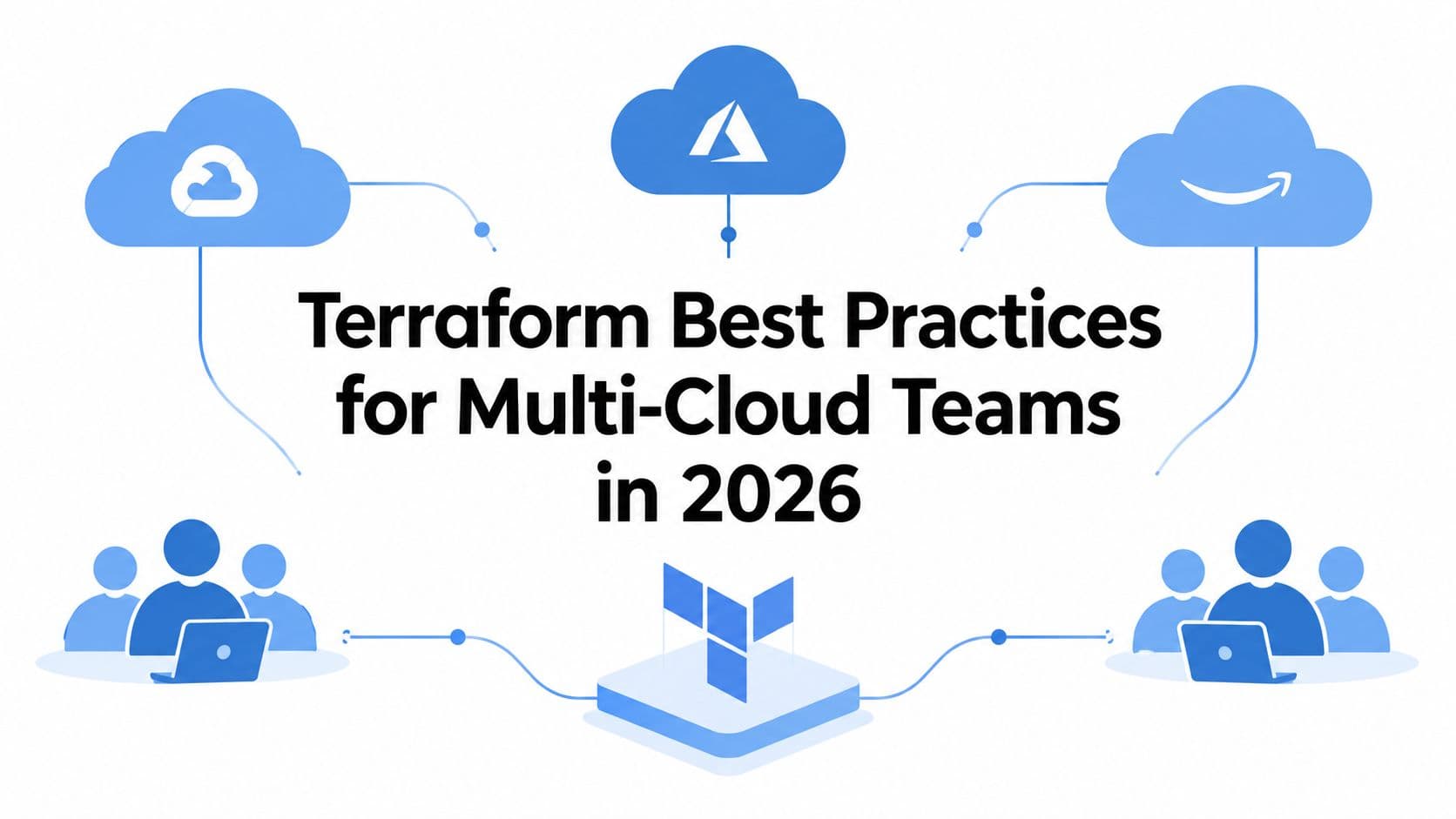
Terraform Best Practices for Multi-Cloud Teams in 2026
Practical terraform best practices for AWS, Azure, and GCP teams covering state, modules, CI/CD, policy-as-code, drift, and cost controls.